The wrong way to build a no-code stack is to collect tools. The useful way is to identify where work waits, decide which system owns the record, and automate only the handoff that has become stable enough to trust.
That distinction matters because a startup can have excellent software and still run on copy-paste operations. It can also automate itself into a maze that nobody understands. No-code is valuable when it removes waiting, re-entry and routing work. It is expensive when it hides an unclear process behind more screens.
This guide is a decision framework, not a shopping list. Vendor capabilities and prices change. The operating logic should survive those changes.
Start With the Workflow, Not the Tool
Pick one recurring workflow and write down five things:
- Trigger: What starts the work?
- Required context: What must be known before anyone can act?
- Owner: Who is accountable for the next decision?
- System of record: Where must the final state live?
- Exception: What should happen when the normal path fails?
If the team cannot agree on those five answers, automation is premature. The first job is to clarify the process. Otherwise, the automation will make confusion move faster.
A good first candidate is frequent, low-risk and easy to verify. Examples include routing a qualified website enquiry, creating a customer onboarding checklist after a signed agreement, or compiling a weekly operating report from known sources.
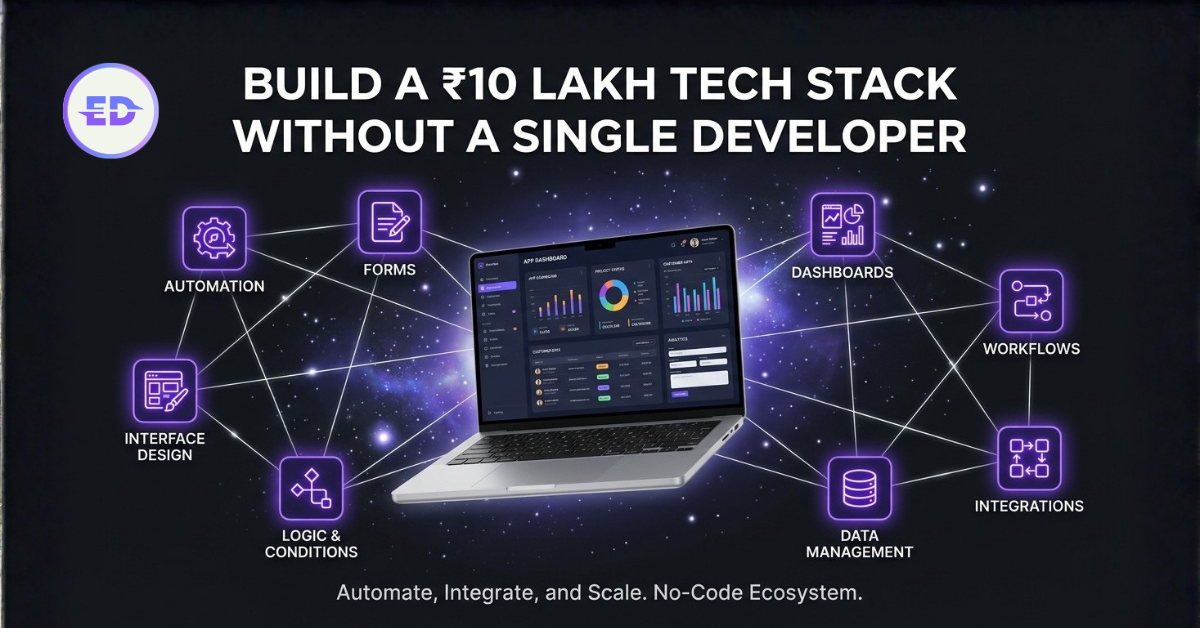
The Five-Layer No-Code Stack
You do not need one product from every category. You need each responsibility to have one clear home.
1. Capture
Capture tools turn a request, application, survey or event into structured data. Tally, Typeform and native product forms can all do this. The important questions are operational:
- Can the form validate the data you actually need?
- Can a user safely resume or correct a submission?
- Does the destination receive a stable identifier?
- Are consent and sensitive fields handled deliberately?
Do not collect data because it may be useful later. Every field increases abandonment and creates another piece of information your team must protect.
2. System of record
The system of record is the place where the current truth lives. It might be a CRM, a product database, an issue tracker or an accounting system. Notion and Airtable can be useful operational databases, but convenience does not automatically make either one the right source of truth.
Use a lightweight tool when the data is internal, the workflow is forgiving and recovery is simple. Use a proper application database when the data controls money, permissions, customer access or irreversible actions.
The anti-pattern is keeping the same status in four tools. Synchronisation is not ownership. Decide which system wins when two records disagree.
3. Orchestration
Zapier, Make and n8n connect triggers to actions. Start with deterministic rules: if an event occurs and these conditions are true, perform these known actions. Add AI only where interpretation is genuinely required.
Every production workflow should expose:
- a run history;
- the input and output of each step;
- retry behaviour;
- an alert owner;
- an idempotency rule so a retry does not create duplicate records or charges.
Self-hosting n8n provides more control, but it also makes security, updates and recovery your responsibility. n8n’s own documentation includes a security audit that checks credentials, risky nodes, file access, webhooks and instance settings. Run it. “Open source” is not the same thing as “secure by default.”
4. Internal interface
Retool, Appsmith and similar builders are useful when a team needs a focused interface over existing data. A good internal tool reduces choices. It shows the operator the context, decision and next action in one place.
Do not recreate the entire database as an editable table. Design around the job:
- review a refund request;
- resolve a failed onboarding step;
- approve a content asset;
- inspect an account before renewal.
Give risky actions confirmations, role-based access and a visible audit trail. A polished admin panel without permission boundaries is simply a faster path to a serious mistake.
5. Customer and marketing surface
Webflow, Framer and Astro solve different problems. A visual builder can be excellent for a small marketing team that needs rapid page iteration. A framework such as Astro is useful when performance, structured content and code-level control matter.
The choice should reflect who will operate the site after launch. Search visibility also depends on the quality and structure of the content, not the logo on the website builder. For the discovery layer, use the AI search and SEO operating guide for startups to connect technical access, evidence and internal links.
Where AI Belongs in a No-Code Workflow
AI is useful for interpreting unstructured input. It can classify a support request, extract fields from a document, summarise a conversation or draft a response. It should not quietly become the owner of a high-stakes decision.
Zapier’s current automation guidance makes the same practical distinction: use reliable workflows for repeatable execution and keep human review for customer-facing, financial or high-stakes actions.
Use three lanes:
| Lane | Suitable work | Required control |
|---|---|---|
| Deterministic | Copying verified fields, notifications, status updates | Validation, retries and duplicate protection |
| AI-assisted | Classification, extraction, summarisation and drafting | Confidence threshold and review path |
| Human decision | Money, access, legal commitments, public claims and exceptions | Named approver and evidence |
This is the same design logic used in a human-agent operating system: let software carry repeatable execution, let models prepare judgment, and keep accountability with a person.
If a model call sits inside a product workflow, track its unit economics separately. Usage-based AI can turn a seemingly cheap feature into an unpredictable service cost. The AI SaaS pricing and gross-margin guide explains how to measure that cost before packaging it.
A 30-Day Adoption Plan
Week 1: Observe
Choose one workflow. Record every handoff, wait, duplicate entry and exception for a week. Do not automate yet.
Week 2: Simplify
Remove unnecessary approvals and fields. Name the owner and system of record. Define the expected result and failure path.
Week 3: Build the smallest reliable path
Automate the common case. Keep a manual path for exceptions. Test duplicate triggers, missing fields, timeouts and permission failures.
Week 4: Measure and decide
Compare the workflow before and after:
- elapsed time from trigger to outcome;
- manual touches per case;
- reopen or correction rate;
- failure recovery time;
- operator confidence.
Keep the automation only if it improves the outcome without creating invisible maintenance work.
When No-Code Is the Wrong Choice
Move toward custom code when one or more of these conditions become true:
- the workflow is part of the product’s defensible core;
- permissions require row-level or tenant-level isolation;
- incorrect execution can move money or expose private data;
- platform limits create repeated workarounds;
- latency or volume materially affects the customer experience;
- debugging requires reconstructing state across several vendors.
Custom code is not automatically better. It gives you control and gives you maintenance. The right transition point is when the cost of platform constraints exceeds the cost of owning the software.
The Stack Review Scorecard
Review each tool quarterly using a short scorecard:
| Question | Healthy answer |
|---|---|
| What outcome does it own? | One clear operational outcome |
| Where is the source of truth? | Explicit and documented |
| Who handles failures? | A named owner receives an alert |
| Can data leave cleanly? | Export or API path is tested |
| Are permissions appropriate? | Least privilege, reviewed regularly |
| Is usage producing value? | Outcome improvement exceeds total cost |
If nobody can explain why a tool exists, it is not infrastructure. It is inventory.
FAQ
Which no-code tool should a startup adopt first?
Start with the tool that removes a measured bottleneck in one recurring workflow. For many teams that is a form plus an automation layer, but the correct first tool depends on where work currently waits.
Should a startup use Zapier, Make or n8n?
Choose based on operating responsibility. Zapier prioritises a broad managed ecosystem, Make offers visual orchestration, and n8n gives more hosting and code-level control. Compare the exact connectors, run history, error handling, security model and total ownership cost for your workflow.
Can no-code tools run customer-facing operations?
Yes, when the workflow has clear permissions, validation, monitoring and a recovery path. Keep financial, legal and access decisions behind explicit approval until reliability is proven.
When should AI be added to automation?
Add AI when the input requires interpretation that deterministic rules cannot handle cleanly. Keep structured transfer and irreversible actions deterministic whenever possible.
How do I prevent tool sprawl?
Require every tool to have an owner, an outcome, a system-of-record decision and a quarterly review. Retire products that duplicate another tool or produce no measurable operational improvement.
Key Takeaway
No-code is not a substitute for operating design. It is leverage for a workflow that already has a trigger, an owner, a source of truth and a failure path. Build that clarity first. Then automate the waiting.
Continue with the Startup Operations Bible for the wider operating-system framework.